Last March, I watched a JFK-to-Lisbon fare drop from $612 to $389 on TAP Air Portugal — and then bounce back to $540 within 36 hours. I had an alert set. My friend did not. She paid $540. I paid $389. That's $151 for doing approximately nothing except letting software watch a number for me.
That's the whole pitch for fare alerts, really. But since "set an alert and wait" isn't quite enough to fill an article — and since there are genuinely wrong ways to use them — let's get into the mechanics.
What a fare alert actually does
A fare alert is not a crystal ball. It doesn't predict prices. What it does is monitor a specific route (or set of routes) and notify you when the price crosses a threshold you care about — either a number you set manually, or a statistically low price based on historical data for that route.
Most alert systems, including FlightKitten, are checking fares continuously against live GDS (Global Distribution System) data — the same pricing infrastructure that powers Expedia, Google Flights, and the airline booking engines themselves. When a fare drops below your target, you get a notification. Simple in concept. The complexity is in how frequently data refreshes, how the threshold gets calculated, and whether the alert fires on the right cabin class.
That last point trips people up constantly. An alert set for "JFK to Barcelona" might catch a business class promo fare that looks cheap in the headline but isn't economy. Always confirm the cabin before you pounce.
How prices actually move (it's weirder than you think)
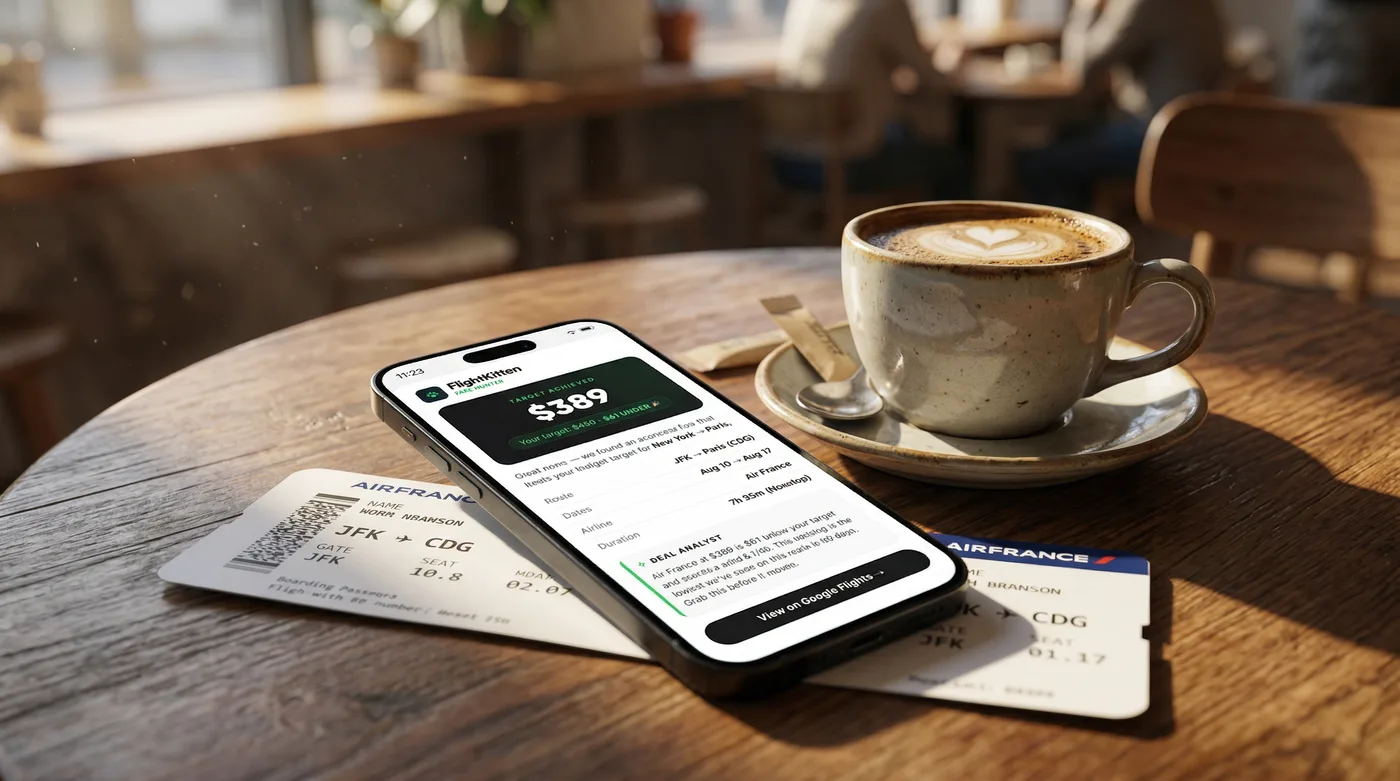
Airline pricing is run by algorithms called Revenue Management Systems. These systems are adjusting fares dozens of times per day based on seat inventory, booking pace, competitor pricing, and historical demand patterns for that specific flight. There's no human sitting at a desk deciding "let's drop the LAX-Tokyo fare by $200 today." It's automated, and it's reactive.
What this means practically: fares don't drop on a schedule. They drop when inventory buckets open up, when a competitor moves first, or when a flight is underselling relative to where it should be at that point in the booking curve.
A few patterns that do hold up:
- Tuesday/Wednesday departures are consistently cheaper on transatlantic routes — not always, but often enough to be worth checking. A recent scan of EWR-CDG on United showed Wednesday departures averaging $180 less than Friday departures for the same travel week.
- 6-8 weeks out is a sweet spot for domestic US routes. For international economy, 2-4 months out tends to produce better fares, though flash sales can happen anytime.
- Error fares — genuine pricing mistakes — are rare but real. A $247 round-trip on Delta from BOS to FCO happened in 2024. It was live for about four hours. People with alerts caught it. Everyone else found out on Reddit after it was gone.
The point is: you cannot watch these manually with any reliability. The math doesn't work. There are too many routes, too many departure dates, and too many daily price changes.
The difference between a price drop alert and a deal alert
This distinction matters more than most people realize.
A price drop alert fires when a fare you've been tracking goes lower than it was before. If you set a watch on LAX-NRT and it was $1,100 when you started tracking, a price drop alert might fire at $980. That's a drop — but $980 to Tokyo in economy is still not a deal.
A deal alert fires when a fare is low relative to the historical baseline for that route. FlightKitten's pounce alerts work this way — instead of just tracking movement, we're comparing the current fare against what that route typically costs across seasons, carriers, and booking windows. When a fare hits genuinely anomalous territory, that's when we flag it.
The practical difference: deal alerts save you from celebrating mediocre discounts. A 10% drop on an already-expensive fare is not worth rearranging your schedule.
| Alert type | What triggers it | Best for |
|---|---|---|
| Price drop alert | Any downward movement from your tracked price | Watching a specific flight you've already decided on |
| Deal alert | Price is statistically low vs. historical baseline | Flexible travelers open to being surprised |
| Threshold alert | Price crosses a number you manually set | You have a hard budget ceiling |
| Error fare alert | Fare is implausibly low (likely a mistake) | Risk-tolerant travelers who book fast |
Setting up alerts that actually work
Most people set alerts wrong. They pick a route, set a target that's either too ambitious or too close to current prices, and then either never get notified or get notified every day with noise.
Here's what works better:
Be specific about dates, or be genuinely flexible — not half-flexible. If you set an alert for "anytime in June" but you actually can't travel the first two weeks of June, you're going to get alerts you can't use. Either lock in your dates or open up to a full 6-week window. Set your threshold at roughly 15-20% below the current fare for that route. If JFK-BCN is sitting at $620 right now, a target of $490-$520 is realistic. A target of $299 is a fantasy that will never fire — or will only fire once, on an error fare at 2am that you'll miss anyway. Track multiple carriers on the same route. On the JFK-Madrid corridor, you've got Iberia, American, Air Europa, and occasionally Norse Atlantic undercutting everyone. An alert that only watches one carrier is leaving deals on the table. FlightKitten's hunts let you track a route across all operating carriers simultaneously, which is how you catch the Air Europa flash sales that disappear before most people even notice them.Pro Tip: Set your alert notifications to push + email. Push gets you there fast enough to book; email gives you the paper trail with fare details if the app crashes or you're on a bad connection when you try to book.
Why alerts save money (the real math)
Let me put some numbers on this, because the savings aren't theoretical.
The average transatlantic economy fare from major US hubs runs $650-$900 round-trip in non-peak periods. During peak summer travel (June-August), that climbs to $900-$1,400 on most routes. But flash sales, inventory dumps, and competitive pricing moves happen constantly — and they produce fares that look like this:
| Route | Typical economy fare | Alert-caught deal | Savings |
|---|---|---|---|
| JFK-LIS (TAP Air Portugal) | $680 | $347 | $333 |
| LAX-CDG (Air France) | $820 | $498 | $322 |
| ORD-FCO (various) | $790 | $521 | $269 |
| MIA-MAD (Iberia) | $710 | $389 | $321 |
| BOS-AMS (KLM) | $750 | $442 | $308 |
On domestic routes, the savings are smaller in absolute dollars but often more dramatic in percentage terms. A Chicago-to-Denver round-trip that normally runs $280-$320 on United or Southwest will occasionally drop to $118-$140 during a sale. That's a 55% discount, and it's gone in hours.
The math across a year of travel is significant. Someone taking 3-4 trips annually who uses alerts consistently versus booking at whatever price they happen to check is realistically saving $800-$1,400 per year. That's another trip.
The catches (and I mean the bad kind)
Fare alerts are not perfect. Here's where they fail:
Lag time is real. Even fast-refreshing systems have some delay between a fare going live and an alert firing. On error fares especially, you might get a notification for a fare that's already been corrected. I've been burned by this exactly once — got a pounce alert for a $201 LAX-LHR round-trip on Virgin Atlantic, clicked through in under three minutes, and the fare had already been pulled. Painful. It happens. Alerts can't account for your actual constraints. The system doesn't know you have a work meeting on the 14th, that you need to be back for your cousin's wedding, or that you refuse to fly Spirit under any circumstances (valid). It just watches the numbers. The judgment call is still yours. Too many alerts create alert fatigue. If you have 40 active hunts across every route you've ever thought about, you'll start ignoring notifications. Keep your active watches focused — 5-8 routes you're genuinely planning to book is more useful than a sprawling wishlist you'll never act on. Connecting itineraries add complexity. A fare alert that catches $410 on JFK-BKK might be routing you through three airports with a 14-hour layover. The price is real. The itinerary might not be acceptable to you. Always check the routing before you book.Pro Tip: When a pounce alert fires, open the booking in a private/incognito browser window. Some booking engines use session cookies to nudge prices upward after you've shown interest. It's probably minor, but why give them the data.
When to book immediately vs. when to wait
This is the question everyone asks and no one wants to give a straight answer to. I'll give you a straight answer.
Book immediately if:- The fare is more than 20% below the route's typical baseline
- It's a peak travel period (summer, holidays) and inventory is limited
- You've been watching this route for more than two weeks and this is the first significant drop
- It looks like an error fare
- You're booking more than 4 months out for an international route
- The fare is only marginally below what you've seen before
- It's a domestic route in an off-peak period with lots of carrier competition
- The alert has fired three times in the past month at similar prices (meaning this is just normal volatility, not a special moment)
The one rule I'd give anyone: if you see a fare that fits your dates, your budget, and your routing — and you're genuinely going on this trip — book it. The game of waiting for $20 more off has cost people real money. A fare that goes from $389 to $410 while you're deliberating is still a good fare. A fare that goes from $389 to $590 while you're deliberating is a lesson you'll remember.
Getting the most out of FlightKitten alerts
A few specifics on how to run your hunts effectively:
Set up hunts for your top 3-5 actual upcoming trips first. Not dream trips, not "maybe someday" trips — trips you will take if the price is right. These are the watches that produce bookings.
Use the flexible date range when your travel window is genuinely open. The algorithm finds better deals when it has more departure dates to scan. A 3-week window produces meaningfully better catches than a single weekend.
Check your notification settings. The default push alert is fine, but if you're the kind of person who dismisses notifications without reading them (I am, occasionally, that person), make sure email backup is on.
Don't sleep on the error fare alerts. They're rare, they require fast action, and they're occasionally the most ridiculous deals you'll ever see. A $247 round-trip to Rome is worth getting out of bed for.
The bottom line
Fare alerts are the closest thing to a free lunch that budget travel offers. You do the setup work once — pick your routes, set your thresholds, configure your notifications — and then you go live your life while software watches thousands of price changes on your behalf.
The travelers who consistently pay less for flights aren't refreshing Google Flights at midnight. They're not obsessively checking airline apps every morning. They set their hunts, they respond when a pounce alert fires, and they book when the math works.
That's it. That's the whole system.
If you haven't set up your first hunt on FlightKitten yet, the routes you fly most often are the right place to start. Pick your top destination, set a realistic target — 15-20% below whatever you're seeing today — and let the alerts do the watching. Your next deal is out there. You just need something to catch it.