Last March, a FlightKitten user named Priya set a hunt for JFK to Lisbon, threshold $420 round-trip. Eleven days later, TAP Air Portugal dropped a flash sale — $374 round-trip including taxes. Her pounce alert fired at 6:47 AM. She booked by 7:15 AM. By 9 AM, the fare was gone.
That sequence — detect, verify, alert, book — is exactly what this article is about. Not the marketing version. The actual mechanics.
Why fare tracking is harder than it sounds
Airline pricing is not a spreadsheet with a few hundred rows. A single route like LAX to Tokyo Narita (NRT) can have thousands of active fare combinations at any moment, spread across booking classes, cabin configurations, connecting itineraries, codeshare partners, and fare basis codes that look like someone's cat walked across a keyboard (think: YLOWUS21 or QNXAPNR3). Fares also change constantly — major carriers reprice inventory multiple times per day, and low-cost carriers like Ryanair and Wizz Air run algorithmic pricing that shifts every few minutes based on load factors.
The naive approach — just check Google Flights every morning — misses most of the good stuff. Flash sales on United, Spirit seat sales, or TAP's periodic transatlantic drops often last 4 to 18 hours. If you're not watching the right routes at the right cadence, you're not catching them.
Where the fare data actually comes from
FlightKitten pulls fare data from Global Distribution Systems — GDS platforms like Amadeus and Sabre — combined with direct airline API feeds where available. GDS data is the same infrastructure travel agents have used for decades; it's comprehensive but has latency. Direct airline feeds are faster but inconsistent — some carriers update in near real-time, others batch their feeds every few hours.
For low-cost carriers that don't participate in GDS at all (Ryanair being the classic example, also Wizz Air and some Spirit inventory), we scrape pricing data directly. That's a polite way of saying we have automated systems hitting those booking engines repeatedly, parsing the results, and normalizing the data into a format we can actually compare against GDS fares.
The result is a merged fare database that gets updated at different intervals depending on the source — roughly every 15 to 45 minutes for most routes, faster for high-traffic corridors like transatlantic and transpacific.
How a hunt gets set up on your end
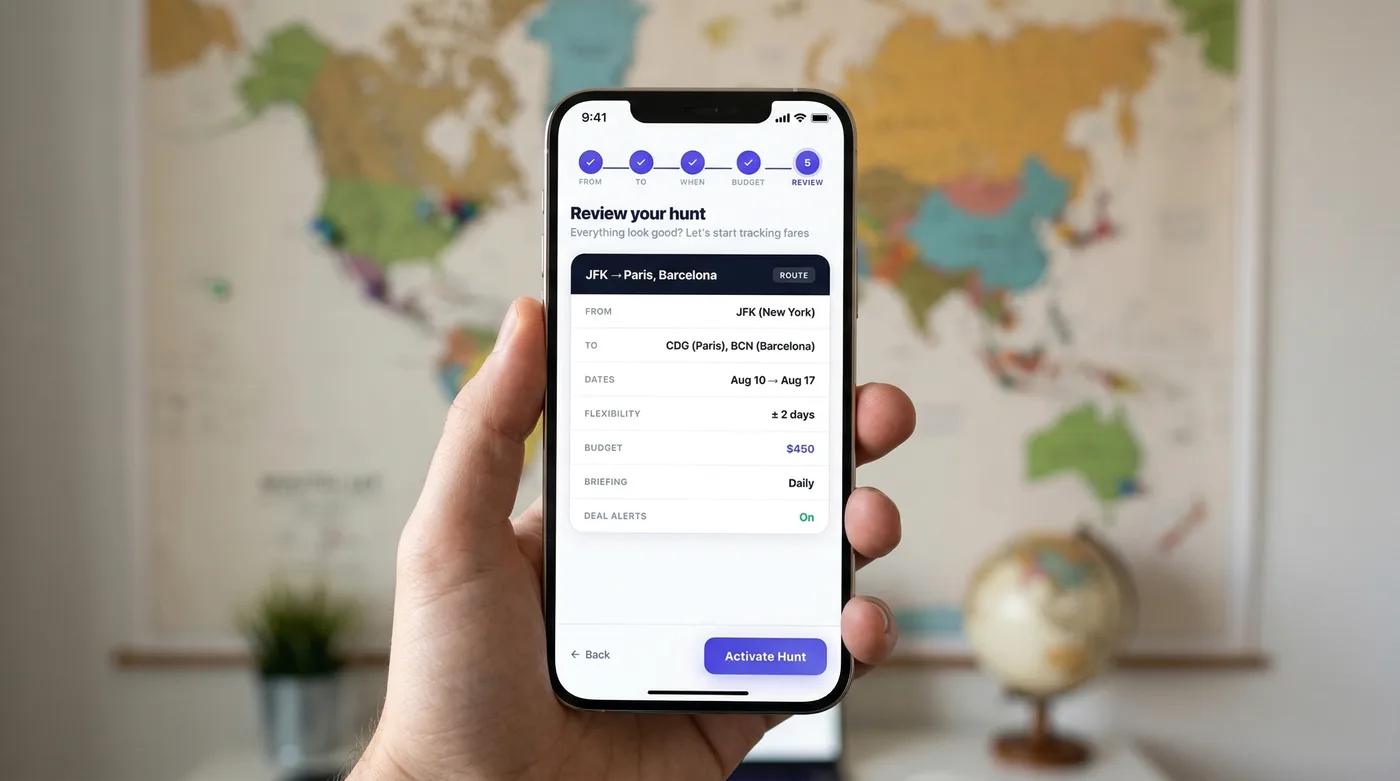
When you create a hunt in FlightKitten, you're defining a fare filter with several parameters:
- Origin and destination — either specific airports (ORD to FCO) or metro areas (Chicago area to Rome area, which would sweep in MDW and MXP as well)
- Travel window — a date range, not a fixed date. Flexible windows catch more deals.
- Threshold price — the ceiling you're willing to pay, round-trip, taxes included
- Trip length range — optional, but useful if you need to be back for work and can't do a 22-day itinerary
- Nonstop preference — whether you'll tolerate a connection or not
That last one matters more than people realize. A nonstop JFK-LHR on British Airways might sit at $780 round-trip while a one-stop via Reykjavik on Icelandair clocks in at $490. If your hunt is set to nonstop-only, you'll never see the Icelandair catch. Neither option is wrong — just know what you're filtering out.
Pro Tip: Set your threshold 15-20% below what you'd actually pay. If you'd genuinely book at $500, set the hunt at $420. This gives you room to catch the really good drops without getting alert fatigue from mediocre fares.
The matching engine: what happens between data and alert
This is the part nobody explains, and honestly it's where most fare alert services cut corners.
Raw fare data is noisy. Airlines publish fares that are technically available but require routing through three connections and a 14-hour layover in a city you've never heard of. Fares that look cheap but have checked bag fees that add $140 each way. Error fares that get pulled within minutes and result in cancelled bookings. Fares that only exist for a Tuesday departure in a seat class with two seats left.
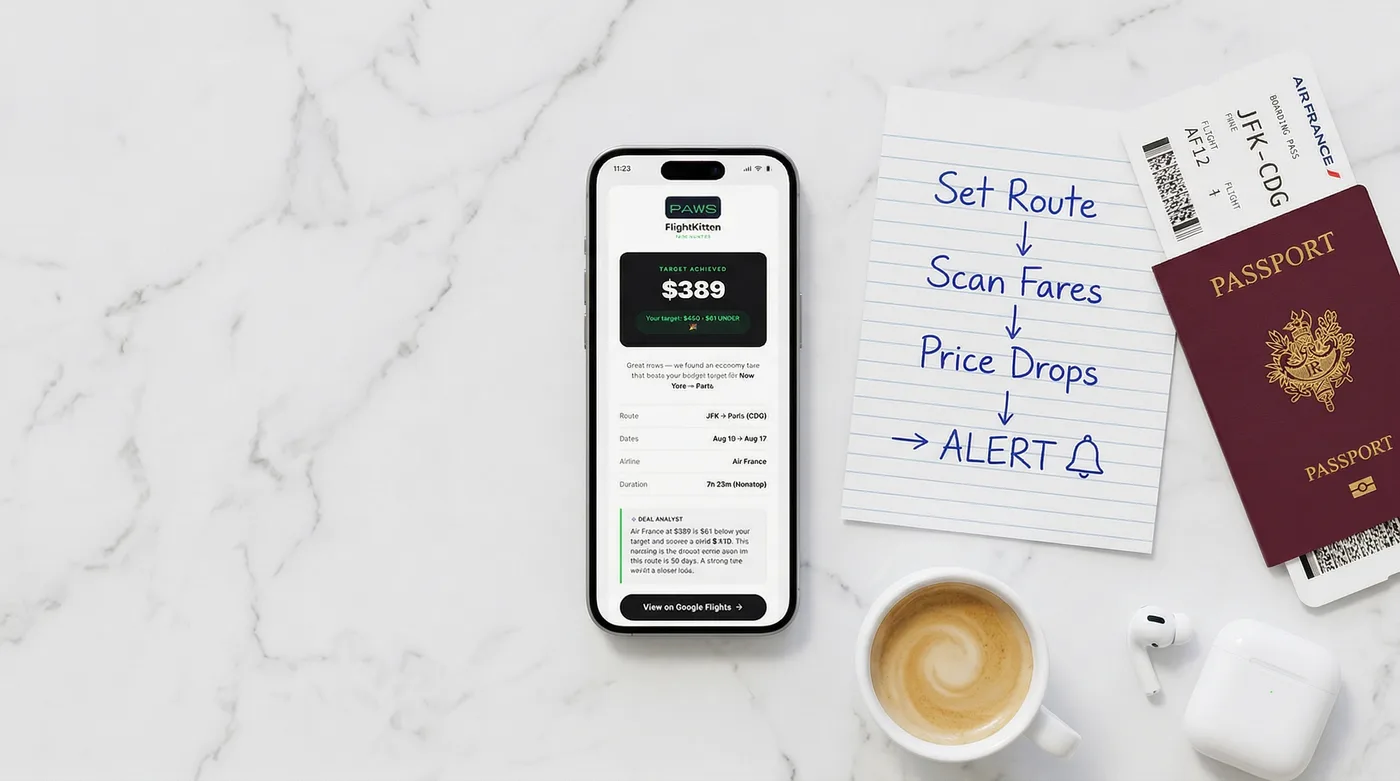
FlightKitten's matching engine runs several filters before a pounce alert fires:
Availability check — We verify the fare is bookable for at least 2 seats (since most people travel with at least one other human, or want a buffer). A fare that exists for exactly one seat in Y class isn't worth waking you up for. Itinerary sanity check — Total travel time has to fall within a reasonable range for the route. For a BOS-MAD hunt, we're not going to alert you about a 31-hour routing through Bogotá. The threshold varies by route distance, but the logic is: if a normal direct flight takes 7 hours, we won't surface itineraries over roughly 16-17 hours. Fee normalization — For carriers where we have reliable baggage fee data (most major US carriers, the big European flag carriers, most LCCs), we factor in one checked bag cost to give you a more honest all-in number. This is imperfect — bag fee structures are a bureaucratic nightmare — but it's better than comparing a $189 Spirit fare to a $220 Delta fare without noting that Spirit will charge you $79 for a carry-on. Historical baseline comparison — The system checks the fare against the trailing 90-day average for that route and season. A $380 JFK-BCN fare is a catch. A $380 JFK-BCN fare that's actually the average price for that route in February is not worth alerting on.Only after all four checks pass does the pounce alert go out.
Alert timing: why you get the notification when you do
Pounce alerts don't fire on a fixed schedule. They fire as soon as a fare clears the matching engine — which means you might get one at 6 AM on a Wednesday or 11 PM on a Saturday. Airline pricing doesn't observe business hours.
That said, there are patterns worth knowing:
| Time window | What tends to happen |
|---|---|
| Tuesday 10 PM – Wednesday 2 AM ET | Legacy carriers (Delta, United, AA) often load sale fares overnight |
| Thursday evening | Weekend flash sales start appearing for leisure routes |
| Sunday night | Some carriers reprice for the coming week; can go either direction |
| 6-8 weeks before departure | Sweet spot for transatlantic economy on most carriers |
| 2-3 weeks before departure | Last-minute inventory dumps, especially on routes with weak load factors |
One thing we've noticed internally: transatlantic flash sales from TAP, Iberia, and Norse Atlantic tend to cluster around their own promotional calendars, not US carrier norms. TAP in particular has a habit of dropping 48-hour sales with almost no warning — we've caught fares like $312 round-trip BOS-LIS and $347 JFK-BCN that were live for less than 6 hours. Those are exactly the catches that justify setting up a hunt and leaving it running.
What FlightKitten can't catch (and why)
Honesty: there are deals we miss. A few categories:
Airline-direct email-only sales — Some carriers (Southwest being the most famous example) run promotions that only appear in their own email lists and don't get loaded into GDS at all. Southwest in particular is a black box — no GDS participation, limited API access. We track what we can on Southwest, but our coverage there is thinner than on carriers like Delta, American, United, Lufthansa, or Air France. Corporate fare buckets — Negotiated corporate fares aren't available to the general public and don't show up in our data. Not relevant for most FlightKitten users, but worth knowing. Genuine error fares — The legendary $200 business class to Tokyo type of thing. These exist, they're real, and they're almost impossible to systematically catch because they're usually live for 20-90 minutes and the airlines' own systems sometimes don't propagate them consistently. When we do catch them, we flag them — but don't build your travel plans around error fare hunting. Opaque fares on Hopper/Priceline — Bidding-model or opaque pricing doesn't have a public fare to track. We can't alert you to a fare that doesn't exist as a published price.How to set up hunts that actually catch deals
After watching thousands of hunts run through the system, a few patterns emerge for what works:
The best-performing hunts are flexible on dates and specific on price. A hunt for "any 7-14 day trip from EWR to anywhere in Europe under $450, departing anytime in March or April" will catch far more than "EWR to Paris CDG, March 15-22 exactly, under $600."
Multi-origin hunts help if you're near multiple airports. If you're in the DC metro area, running hunts from both IAD and DCA separately means you're watching two different sets of carrier inventory. American dominates DCA; United and international carriers have more presence at IAD. Different hubs, different sale patterns.
Don't set your threshold at round numbers. There's no particular reason to set a hunt at $400 instead of $385. But psychologically, a lot of users do set round-number thresholds, which means fares at $392 might trigger alerts for fewer people — leaving more seats available when you book.
Pro Tip: Running parallel hunts with different flexibility settings is underused. Set one strict hunt (nonstop, narrow dates) and one loose hunt (any stops, 3-week window) for the same route. The loose hunt will catch things the strict one misses, and you can decide in the moment whether the itinerary works.
Reading your catch: what the alert actually tells you
When a pounce alert lands in your inbox or on your phone, it includes:
- The fare amount (taxes and fees included)
- The carrier(s) involved
- Sample dates where the fare is available
- Estimated availability window (when we think it expires, based on historical patterns for that carrier's sale behavior)
- A direct link to book
The availability window estimate is exactly that — an estimate. We're pattern-matching against historical data, not reading the airline's internal inventory system. When the alert says "typically available 6-12 hours," treat that as "book soon" not "I have until tomorrow morning."
Click through, verify the fare is still there, and book if it works. Don't spend 45 minutes comparison shopping after getting a pounce alert on a flash sale. The comparison shopping should have happened when you set up the hunt.
The part most people skip: keeping hunts current
Hunts don't need constant maintenance, but they do go stale. A hunt you set up in January for summer travel should be reviewed in March — your threshold might need adjusting based on what you've seen come through, or your travel window might have shifted.
Also: delete hunts for dates that have passed. Obvious, but the system works better when your active hunts are actually relevant. A hunt for April 2025 travel that's still running in June 2026 is just noise.
FlightKitten lets you pause hunts without deleting them, which is useful if you've already booked one leg of a trip and are waiting to see if a better option appears for the return.
The bottom line
Fare alerts aren't passive magic. They're a tool that works proportionally to how well you configure them. Set a reasonable threshold, keep your travel window flexible, understand what the matching engine is actually filtering, and book fast when a real catch lands.
Priya booked her TAP flight to Lisbon for $374. She's been back twice since, each time with a FlightKitten catch in hand. The system didn't do anything mysterious — it just watched a route she cared about, every 20 minutes, until the airline blinked.
Set your hunts. Let the system run. Pounce when it matters.
Set up your first hunt on FlightKitten — it takes about 90 seconds and costs nothing.